For university students · macOS

Built for the
way you study.

Atlas keeps your lecture notes, course material, timetable and focus time in one window — running entirely on your Mac, with nothing to sign up for.

Free · Apple Silicon · No account, no sync, no telemetry

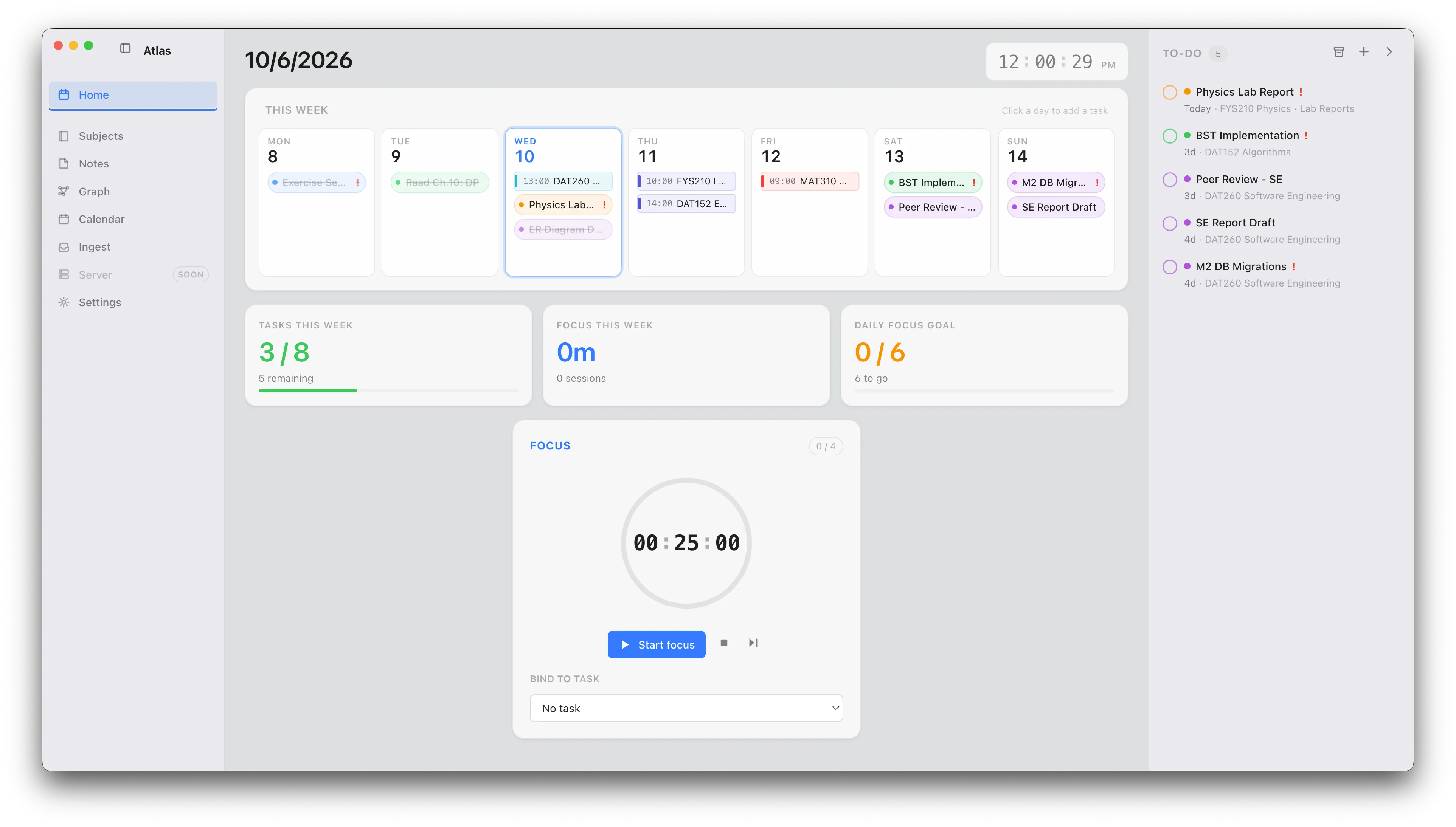
The Atlas Home dashboard on macOS: a weekly grid with colour-coded task and class chips, a metrics row, a Pomodoro timer and a to-do list.

Lecture notes that do the maths

Write notes in plain markdown and read them back fully rendered — equations typeset with real math (KaTeX), syntax-highlighted code blocks and proper tables, all offline. Exactly what STEM courses need, and your notes stay as .md files you own.
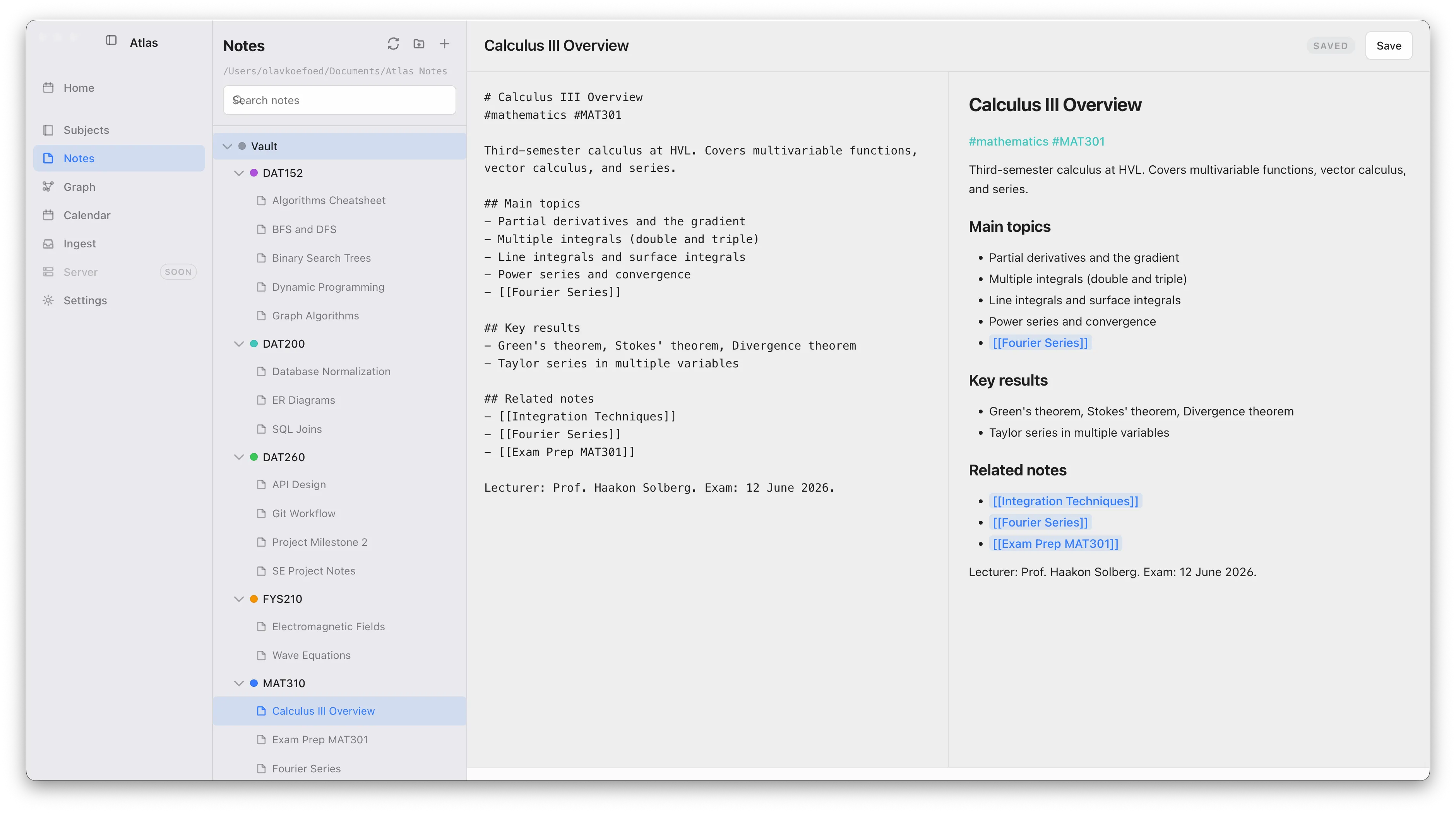
The Atlas notes editor: a markdown note beside a live rendered preview with typeset equations and the folder tree on the left.

Turn the course material into notes

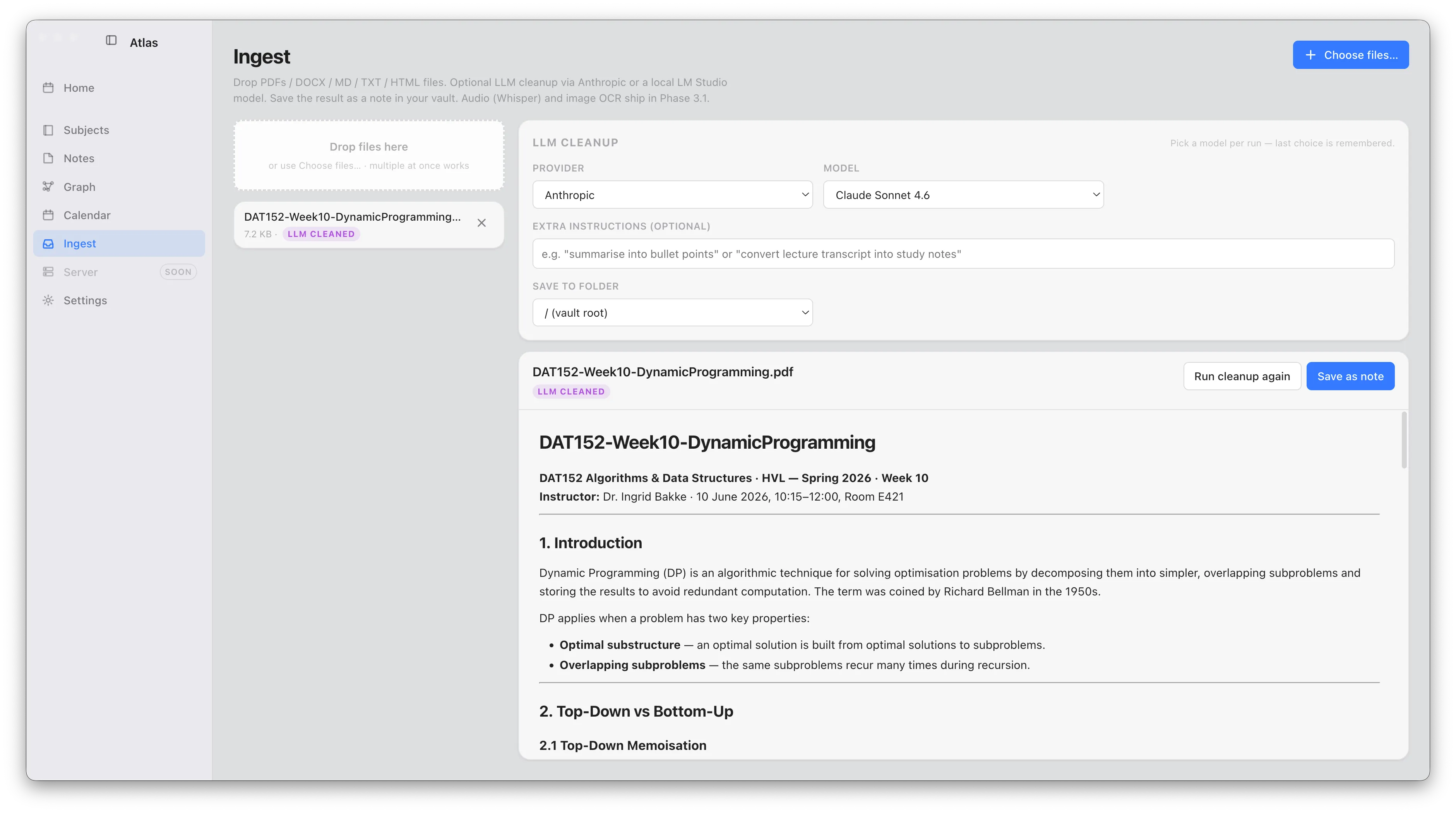
Drag in lecture PDFs, slides, photos of the whiteboard or a recording of the seminar. Atlas converts documents to markdown, reads images with on-device OCR and transcribes audio on-device — so the reading list becomes notes you can actually search and link.

Atlas Ingest converting a lecture PDF into clean markdown, with the cleanup options shown.

Your timetable, always current

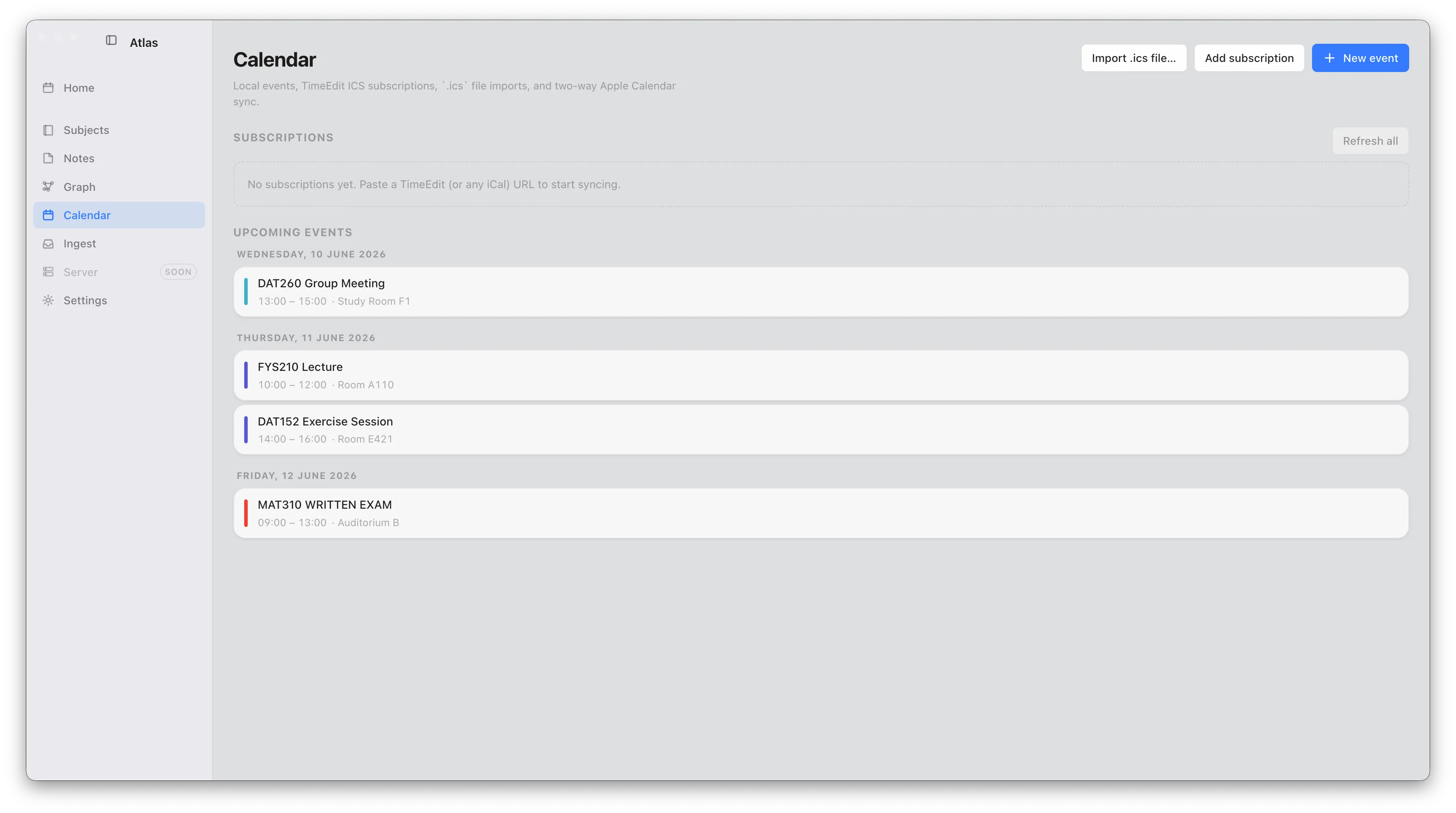
Subscribe to your university timetable as a calendar feed (ICS) and it refreshes itself, so every lecture and lab lands on the same weekly grid as your own tasks. No copying class times across by hand each term.

The Atlas calendar listing upcoming class events, with the timetable subscription and calendar sync controls.

Plan the week, then focus

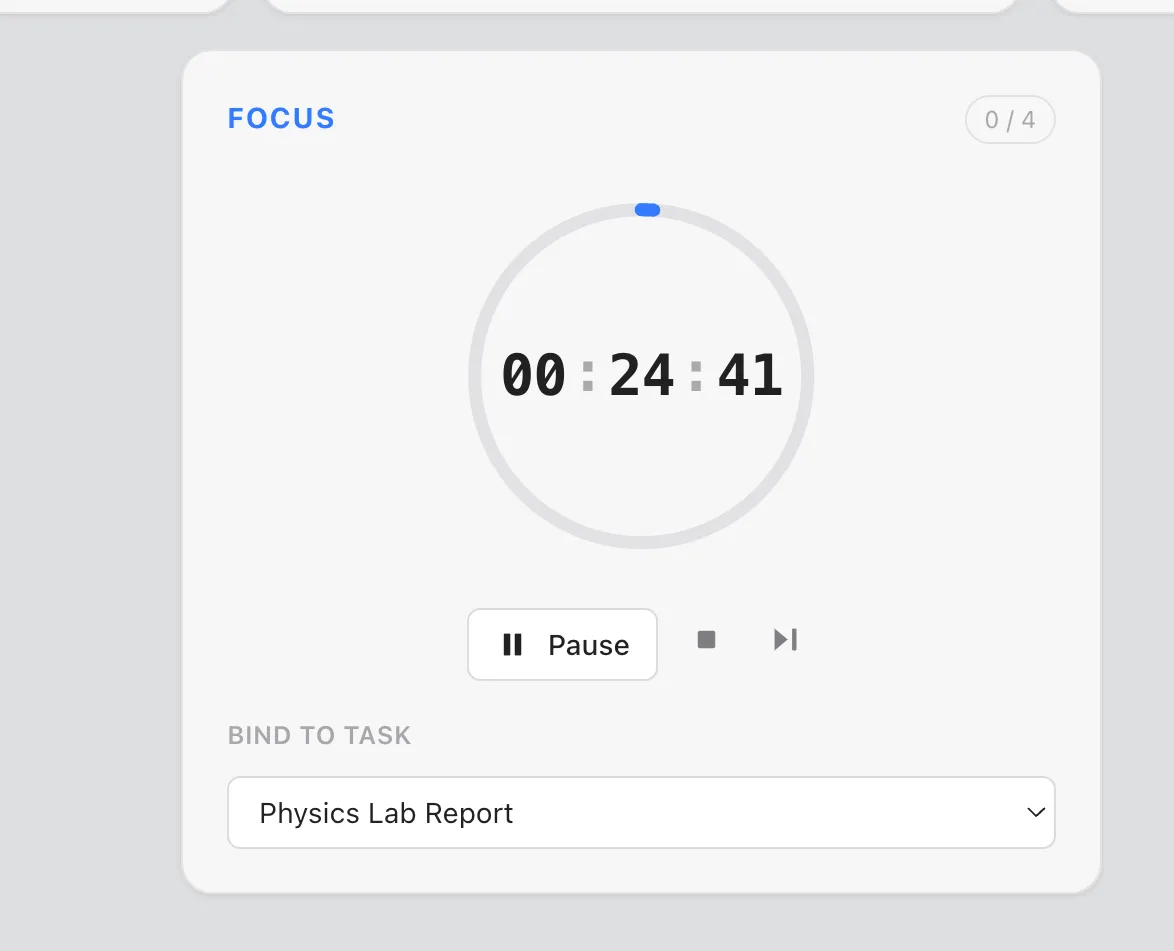
See the whole week — classes, deadlines and to-dos — on one grid, then start a Pomodoro session bound to a task. Every finished session is logged onto the grid and rolls into your weekly focus metrics, so you can look back on where the hours actually went.

The Atlas Pomodoro timer running, bound to a task, with the weekly grid behind it.

One connected map per subject

Every [[wiki-link]], tag and mention you write becomes an edge in a graph of your notes, subjects and tasks — so a whole course connects up as you go, and revision is just following the threads. See the graph →

Start the term with Atlas

Download for macOS

Free · macOS on Apple Silicon